Secured by Surrender: The Phone Number Tax Hidden Inside Two-Factor Authentication
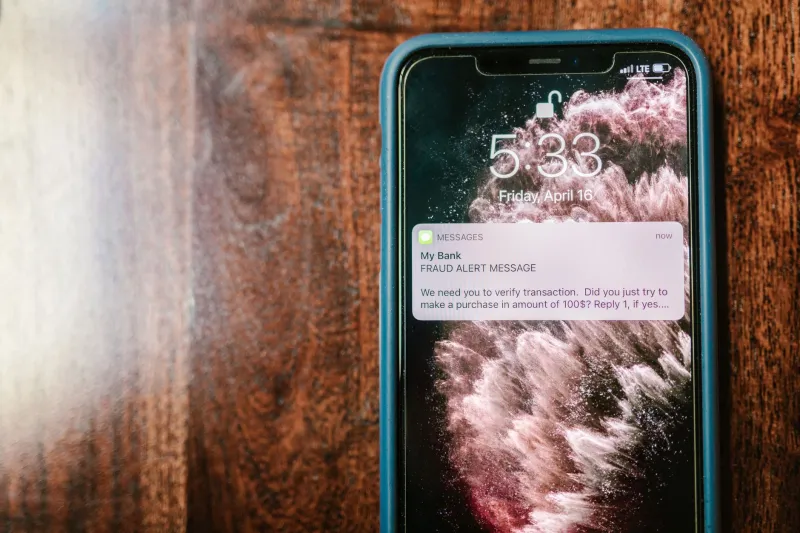
Security professionals have spent years urging the public to enable two-factor authentication. The advice is sound. An account protected by a second verification layer is meaningfully harder to compromise than one guarded by a password alone. Yet somewhere in the rush to make that recommendation universal, a quieter conversation got lost — the one about what enabling 2FA actually costs you in terms of privacy.
For millions of Americans, the default path to two-factor authentication runs directly through their mobile phone number. Enter it into a platform, receive a text message, confirm your identity. Simple. Fast. And, depending on how that number is stored, shared, and monetized, potentially consequential in ways that have nothing to do with security.
Why Your Phone Number Is More Valuable Than You Think
A phone number is not merely a string of digits. In the contemporary data economy, it functions as a persistent identifier — one that follows you across platforms, connects your online and offline identities, and serves as an anchor for advertising profiles that are far more detailed than most people realize.
When you submit your phone number to a major platform for 2FA purposes, you are trusting that the company will use it solely for authentication. The stated policies of many large technology firms, however, reveal a more complicated arrangement. Meta, for instance, faced significant scrutiny after researchers demonstrated that phone numbers submitted for security purposes were being used to target advertisements. The company eventually updated its practices, but the episode illustrated a structural problem: data collected for one purpose rarely stays confined to that purpose indefinitely.
Beyond advertising, phone numbers submitted to platforms enter databases that can be exposed in breaches, shared with third-party vendors, or handed to law enforcement in response to legal demands. A number you entered to receive a six-digit verification code becomes part of a permanent record associated with your account — often without any meaningful expiration.
The SIM Swap Problem
There is also a security dimension to SMS-based authentication that deserves more attention than it typically receives. SIM swapping — a form of fraud in which a bad actor convinces a mobile carrier to transfer your phone number to a device they control — has become an increasingly common attack vector. Once an attacker controls your number, every SMS-based authentication code you are supposed to receive goes to them instead.
High-profile cases have involved cryptocurrency theft, email account takeovers, and the compromise of financial accounts. The victims had followed standard security advice. They had enabled two-factor authentication. The failure was not in using a second factor — it was in relying on a second factor that could be intercepted through social engineering at the carrier level.
In this respect, SMS-based 2FA presents a dual liability: it exposes your phone number to the platforms requesting it, and it relies on an infrastructure — the cellular carrier network — that is itself vulnerable to manipulation.
Authenticator Apps: Better Security, Different Trade-Offs
Time-based one-time password (TOTP) authenticator apps represent a meaningful improvement over SMS verification on both the security and privacy fronts. Applications such as Aegis (available for Android), Raivo (for iOS), or the widely used Google Authenticator and Authy generate codes locally on your device without transmitting your phone number to the platform you are logging into.
From a security standpoint, TOTP codes are not susceptible to SIM swapping because they never travel through the cellular network. From a privacy standpoint, they do not require you to disclose your phone number to the service you are authenticating against.
However, authenticator apps are not without their own considerations. Authy, which is owned by Twilio, stores encrypted backups of your authentication tokens in the cloud — a convenience feature that also means your 2FA data exists on a third-party server. Google Authenticator recently introduced cloud backup functionality as well. For users who prefer that their authentication credentials remain entirely local, both of these options now require deliberate configuration to disable cloud sync.
Aegis and Raivo, by contrast, are designed with local storage as the default. Both are open source, allowing independent security researchers to audit their code. For privacy-conscious users in the United States, these represent a more defensible choice — provided you maintain your own encrypted backups of the authentication database.
Hardware Keys: The Most Private Option
At the far end of the authentication spectrum sit hardware security keys — physical devices, such as those produced by Yubico under the YubiKey brand, that authenticate your identity through a cryptographic exchange requiring the physical key to be present.
Hardware keys require no phone number. They generate no data that is transmitted to or stored by the platform you are logging into beyond the initial registration. They are immune to phishing attacks because the cryptographic handshake is domain-specific — a fake login page cannot capture a valid authentication response. And they are entirely offline during the authentication process, meaning there is no third-party server involved.
The primary barriers are cost (a quality hardware key typically runs between $25 and $70) and the need to register the key with each service individually. For accounts that hold significant personal, financial, or professional value — email, banking, password managers — the investment is difficult to argue against.
Choosing the Right Method for Each Account
Not every account warrants the same level of authentication complexity. A practical approach treats authentication as a tiered decision rather than a single policy applied uniformly.
For high-value accounts — primary email, financial institutions, password managers, and any service that stores sensitive personal information — a hardware security key or a local TOTP authenticator app with no cloud sync represents the most defensible configuration. These accounts are the most consequential if compromised and the most likely to be targeted by sophisticated attacks.
For mid-tier accounts — streaming services, retail accounts, professional platforms — a TOTP authenticator app provides a substantial security improvement over SMS without requiring the disclosure of your phone number.
For accounts where the only available option is SMS-based verification, the trade-off is worth acknowledging explicitly. Enabling SMS 2FA on such accounts is still preferable to using no second factor at all. The goal is not perfection — it is informed decision-making about what you are exchanging for the protection you receive.
Reclaiming Your Number
If you have already submitted your phone number to platforms for authentication purposes and wish to limit its ongoing exposure, several steps are worth taking. Review the account settings of each service to determine whether the number can be removed once an alternative authentication method has been added. Many platforms will permit this. Some will not, treating the phone number as a permanent account recovery mechanism regardless of your preferences.
For services that insist on retaining a phone number, consider whether a Google Voice number or a similar secondary number might serve as a buffer — though be aware that this creates a dependency on another platform with its own data practices.
The broader principle is one that runs through every dimension of digital privacy: defaults are designed for convenience, not for your protection. Two-factor authentication, implemented thoughtfully, is one of the most effective tools available for securing your accounts. The version of it that best serves your privacy, however, requires a few more deliberate choices than simply entering your phone number and moving on.